Flow Process Node
A Flow Process node is a Production process node that runs one or more Spectre Flow scripts.

The Flow Process node has  four panes where you set attributes.
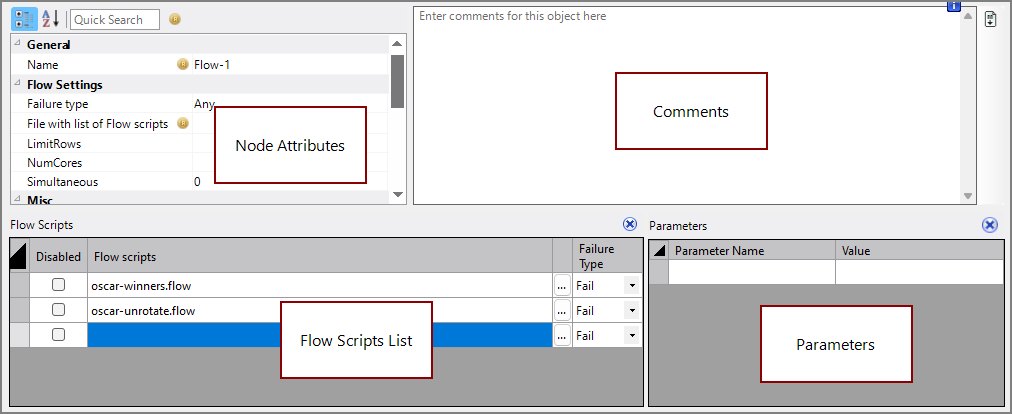 Node Attributes
You set attributes for the Flow Process node in the node attributes pane.

| Attribute | Description |
|---|---|
| Name |
Specify a descriptive name for the node. Lower case names maximize usage of the available space. |
| Failure type | Specify how to handle a Flow node failure:
|
| File with list of Flow scripts (Required if no Flow Scripts attribute is set) |
Specify a text file that contains the names of each Spectre Flow script file. List the name of each Spectre Flow script file on a separate line. To select the file, use the browse button (...) that appears when you click in the empty File with list of Flow scripts box. This attribute and the Flow Scripts attribute are mutually exclusive. |
| LimitRows |
Direct the Flow node to use a specific number of rows from each input file. If multiple input files are used, the first <number> of rows are read from each file, ensuring a complete sampling of data values. |
| NumCores |
Define the number of cores to use for parallel processing, usually between 2 and 6. Using this attribute might speed up the build, but it depends on the capacity of the I/O system. Use this option when dealing with multiple inputs, or adding columns and lookups. |
| Simultaneous |
Define the maximum number of Spectre Flow files to process at the same time:
|
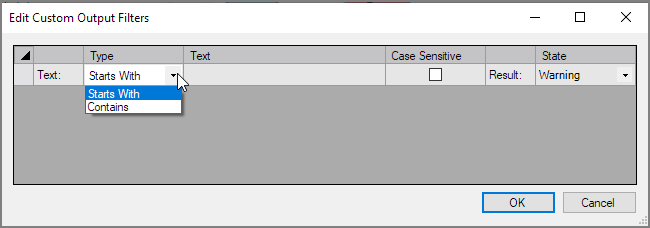
| Custom Success State Rules |
Opens the |
| Email Object for failure |
Select a predefined mailing list to send an email to if the node fails. The pull-down list is populated with items that can be found in Project Settings > Mailing Lists > Email Templates. |
| Email Object for success |
Select a predefined mailing list to send an email to if the node succeeds. The pull-down list is populated with items that can be found in Project Settings > Mailing Lists > Email Templates. |
| Email Object for warning |
Select a predefined mailing list to send an email to if the node generates a warning. The pull-down list is populated with items that can be found in Project Settings > Mailing Lists > Email Templates. |
| Failure node |
Select the next node upon failure. The pull-down list contains all nodes that are on the Task Flow. |
| Success node |
Select the next node upon successful completion. The next node automatically populates if a connecting line is set on the Task Flow. The pull-down list contains all nodes that are on the Task Flow. |
| Working Directory |
Specifies the directory in which this node runs. If left blank, the Default Working Directory attribute that is set in the Start Control Node is used. When running a script, Production sets the working directory for the child process to the directory that contains the script, unless the node specifies a different directory.
|
| Default Working Directory |
Displays the Default Working Directory that is set the the Start Control Node. If a Default Working Directory is not specified, this attribute is blank. Applies to all nodes.
|
| External File Encoding |
Select the format for the node input files. If this attribute is blank, Workbench attempts to detect the type of encoding. This attribute is also used when saving log files. The encoding might need to be adjusted when using data with high bit Latin-1 characters or Unicode characters. |
 Comments
Each node has an area where you can enter comments.
It is a DI best practice to enter a note for every node in a Production script. These notes can help you or a coworker understand the intent of the node and troubleshoot issues in the future.
Flow Script List
Specify one or more Spectre Flow scripts in the lower-left Flow Scripts pane.
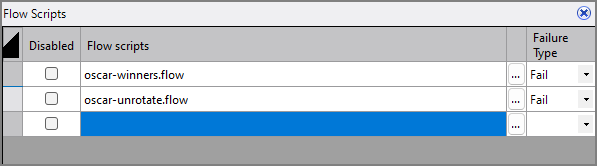
The Flow Scripts attribute is required if no File with list of Flow scripts attribute is specified.
The Flow Scripts attribute supports additional control attributes for more detailed control of settings per file than if using the File with list of Flow scripts attribute:
- Disabled—Disables specific Build scripts, which is useful for debugging. The default is no.
- Failure Type—Specifies how to handle an individual Spectre Build file failure: Fail, Never, or Warning. The default is Fail.
The Flow Scripts attribute and the File with list of Flow scripts attribute are mutually exclusive.
Parameters
Define parameters for this node in the lower-right Parameters pane.
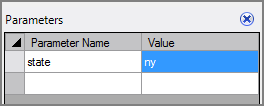
NOTE: Node-level parameters are available only for the current node.
See Parameters in Production for more information.